← Back to the overview

On-site appointments

Appointments at your client's place – travel time included

Clients choose between your studio and their own address when they book. CraftMe calculates the driving time with Google Maps, reserves it in your calendar and only offers times you can really make – no more guessing, no double bookings.

Coming soon

Free download for iPhone and Android

Switch on on-site appointments

How it works

From the switch to the finished appointment in four steps

On-site appointments

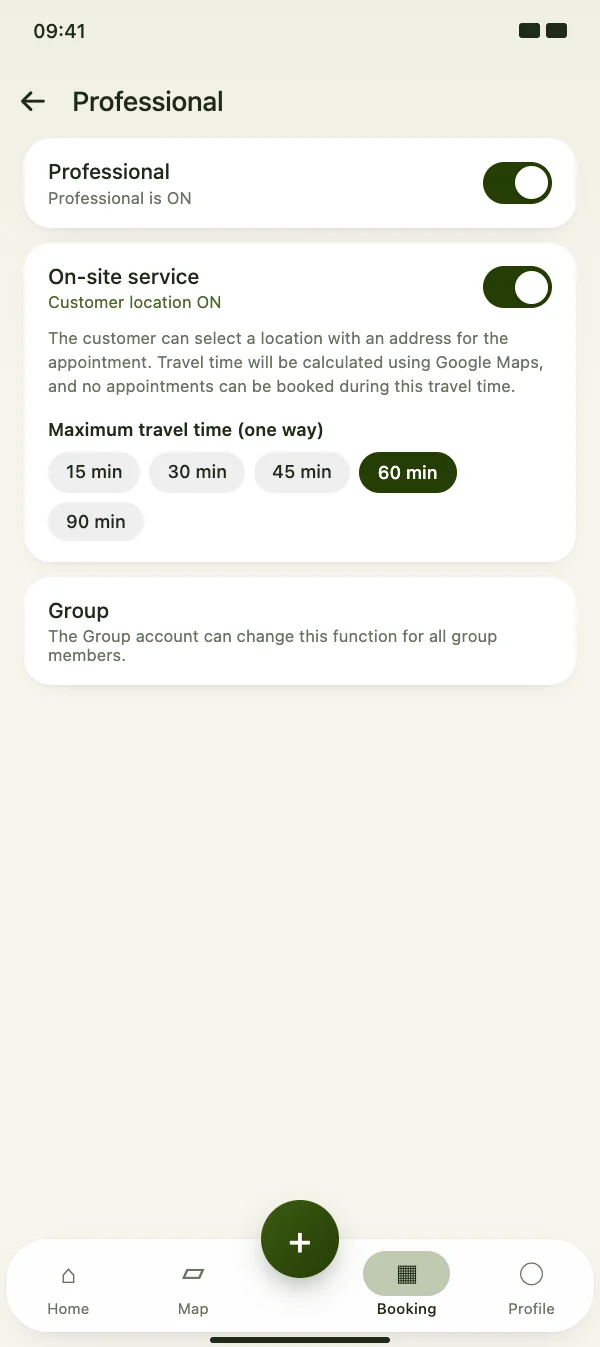
Switch on on-site appointments

Turn on on-site service in your professional settings and choose how far you are willing to drive. Your studio address is the starting point of every route.

  • One switch in your professional settings
  • Maximum travel time of 15, 30, 45, 60 or 90 minutes each way
  • In a group, the group account sets it for all members
Switch on on-site appointments

On-site appointments

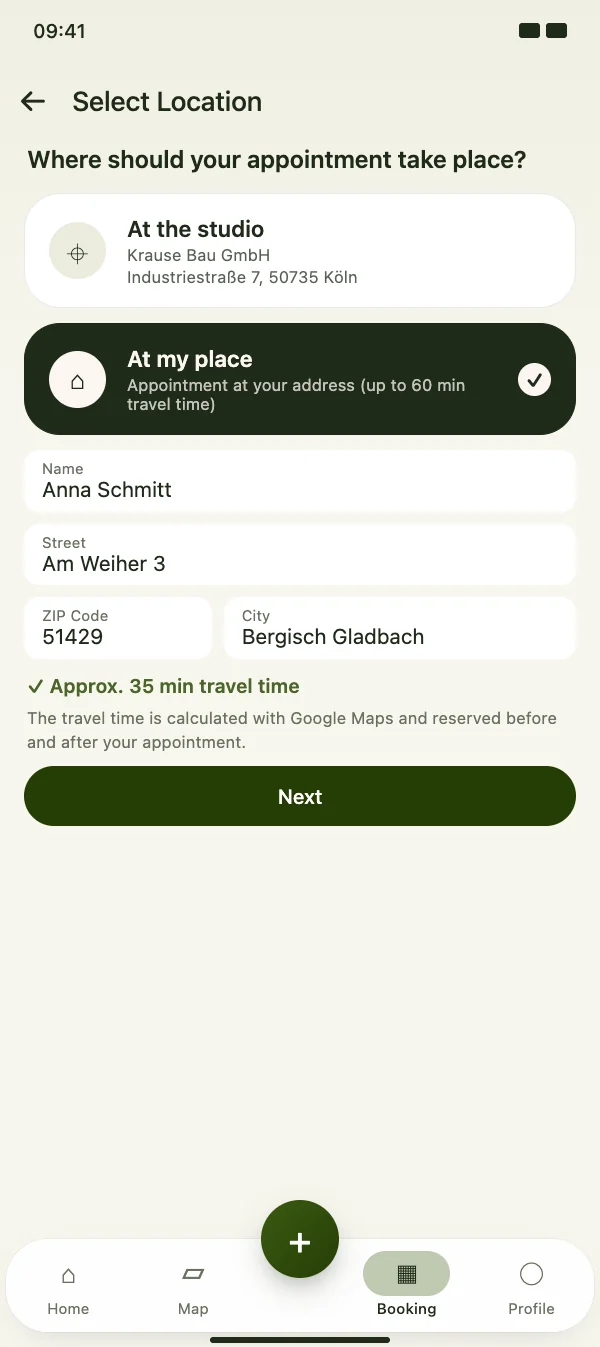
Clients choose “At my place”

When booking, your clients pick your studio or their own address. Before they choose a time, CraftMe calculates the driving time from your studio to them.

  • The address from their profile is already filled in
  • Driving time calculated with Google Maps
  • Addresses beyond your maximum travel time get a clear notice
Clients choose “At my place”

On-site appointments

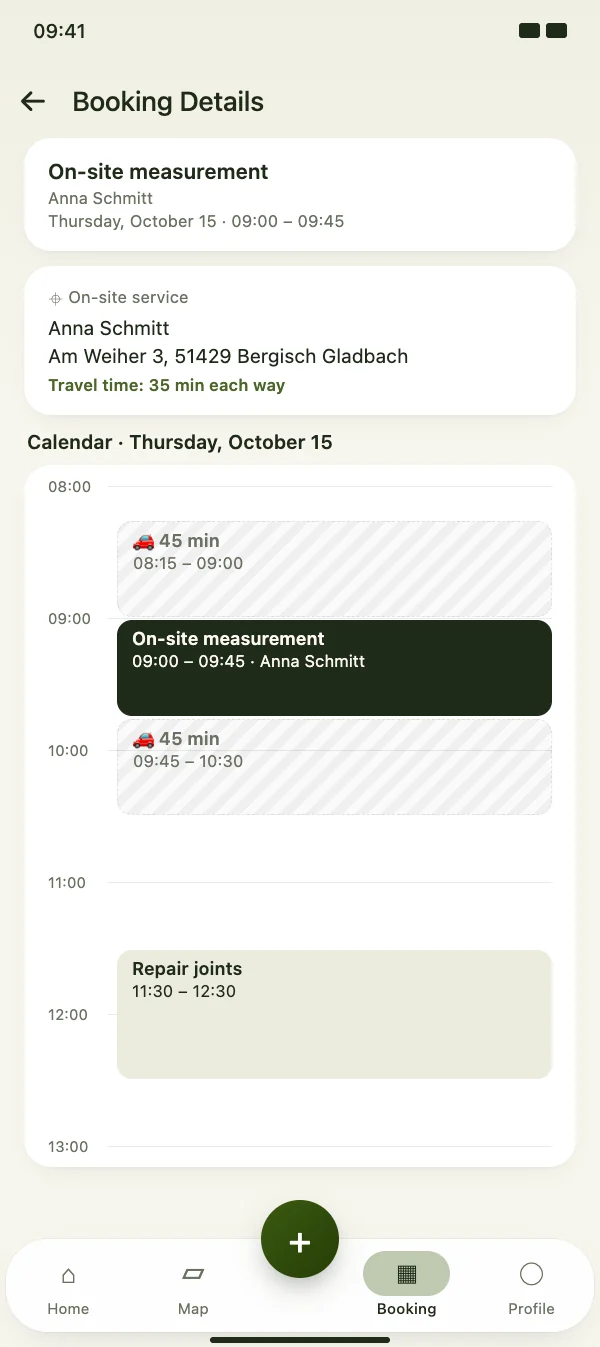
Travel time is blocked in your calendar

The way there and back is reserved before and after the appointment. Clients only see times that still fit – including the travel of your other on-site appointments.

  • Travel before and after the appointment, rounded up to the quarter hour
  • Address and travel time in the booking details
  • Also for manual bookings and bookings from the chat
Travel time is blocked in your calendar

On-site appointments

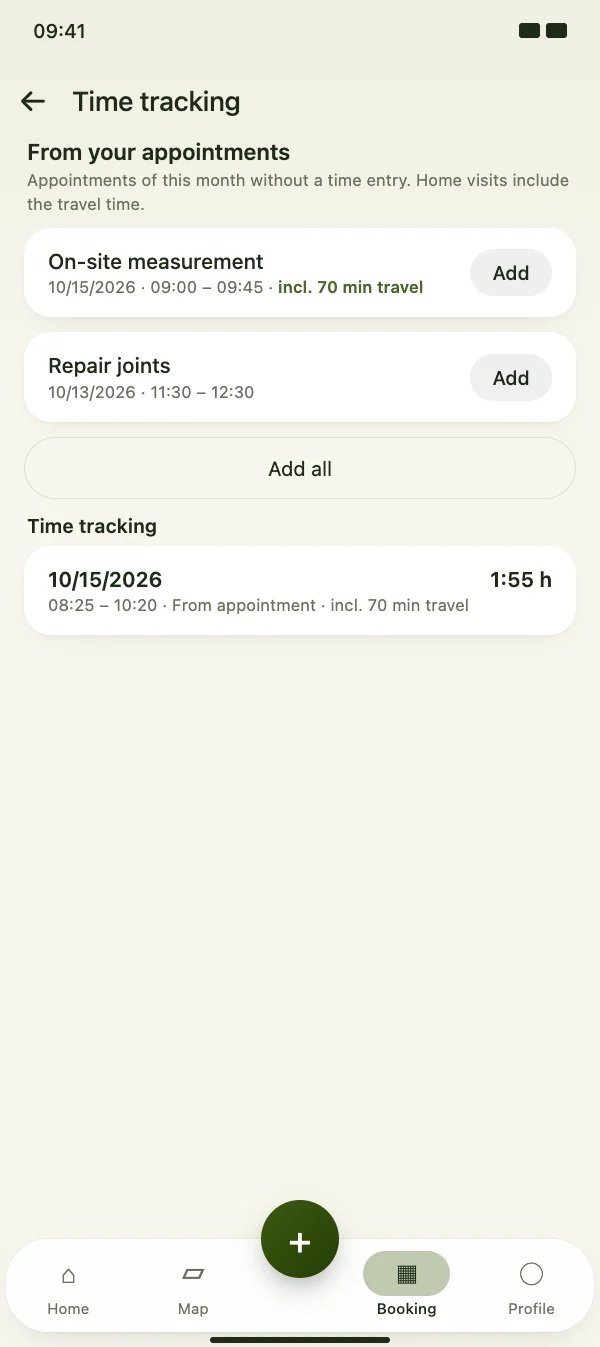
Travel time counts as working time

When you take your appointments into time tracking, CraftMe adds the travel time there and back to on-site appointments. Your timesheet shows the real working day.

  • Appointment plus travel there and back as one entry
  • Take single appointments or all at once
  • Time tracking is part of CraftMe Pro
Travel time counts as working time

FAQ

Questions about on-site appointments

What does it cost?

On-site appointments and the travel time calculation are included in every plan, including the free one. There is no fee per booking or per route.

How is the travel time calculated?

CraftMe asks Google Maps for the driving time by car from your studio address to your client's address, without live traffic. In the calendar, the time is rounded up to the next quarter hour and reserved before and after the appointment.

What if the address is too far away?

If the driving time is longer than the maximum you set, the booking shows the calculated travel time and your limit. Your client can still book the appointment at your studio.

Does it also work for bookings in the browser?

Yes. Clients who book through your booking link in the browser can also choose “At my place”. The travel time is calculated in the same way when you add an appointment manually or from the chat.


Offer appointments on site

Download CraftMe for free and switch on on-site service in your professional settings via the menu in the Booking tab.

Coming soon

Free download for iPhone and Android