← Back to the overview

Properties

Every building you look after – with units, jobs and costs

For caretakers, property managers and businesses that look after the same buildings again and again: each property collects its units, tenants, jobs and the costs of every year.

Coming soon

Free download for iPhone and Android

All properties, sorted by estate

How it works

How properties work

Properties

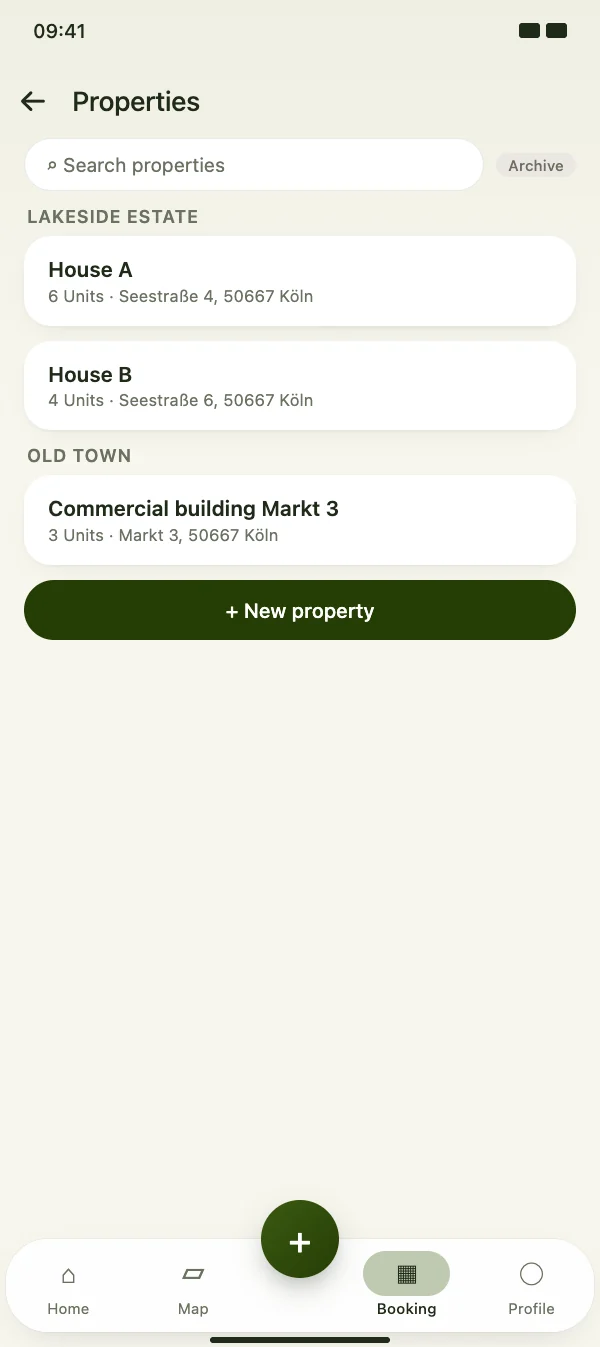
All properties, sorted by estate

Create the buildings and estates you look after and group them, for example by estate or housing area. Search finds every property, and properties you no longer need move to the archive.

  • Groups such as estate or housing area
  • Search across all properties
  • Archive instead of deleting
All properties, sorted by estate

Properties

Units and tenants

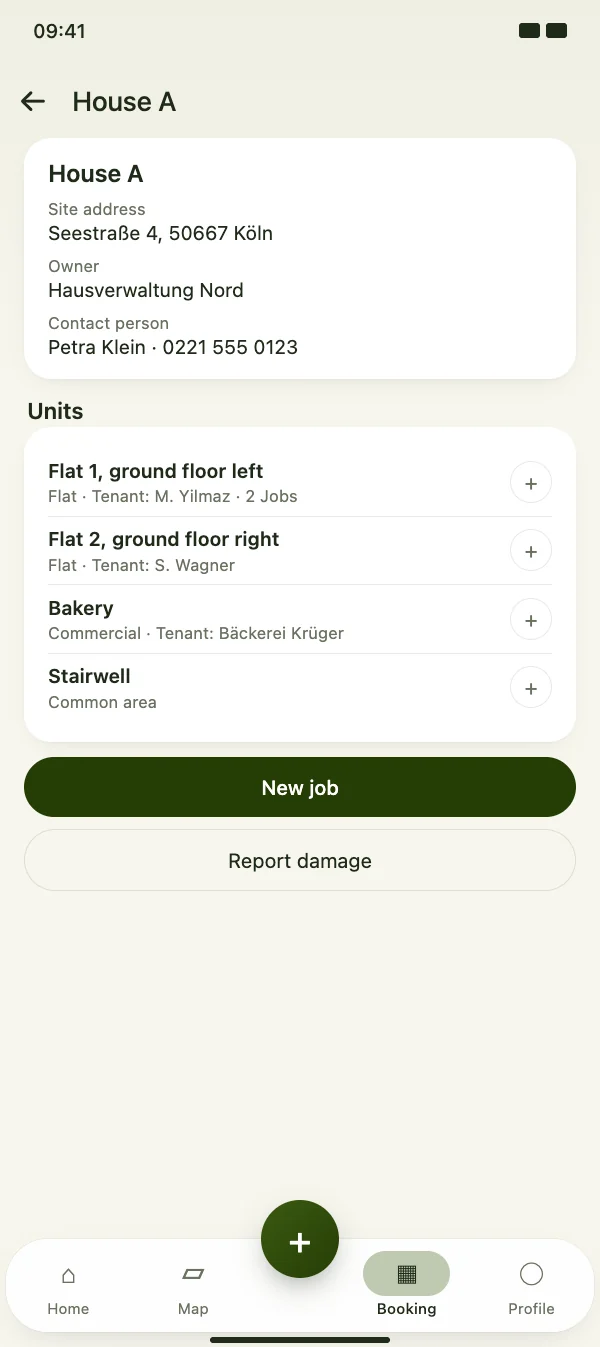
Each property has its address, owner and contact person with phone number, plus its units: flats, commercial units, common areas and more, each with its tenant.

  • Units: flat, commercial, common area, other
  • Number of jobs per unit at a glance
  • Start a new job right at the unit
Units and tenants

Properties

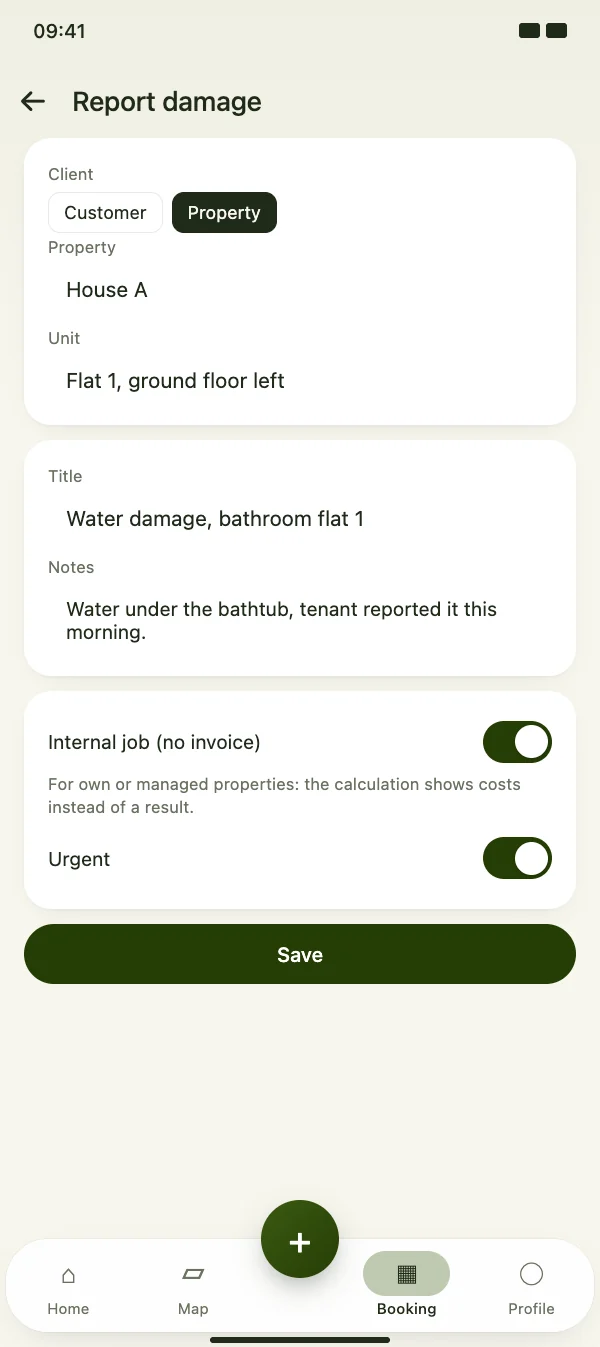
Report damage in seconds

A tenant calls about water damage? “Report damage” creates a job for the property and unit straight away – marked as urgent and as an internal job without an invoice.

  • Client: customer or property
  • Unit or whole property
  • Urgent jobs stand out in every list
Report damage in seconds

Properties

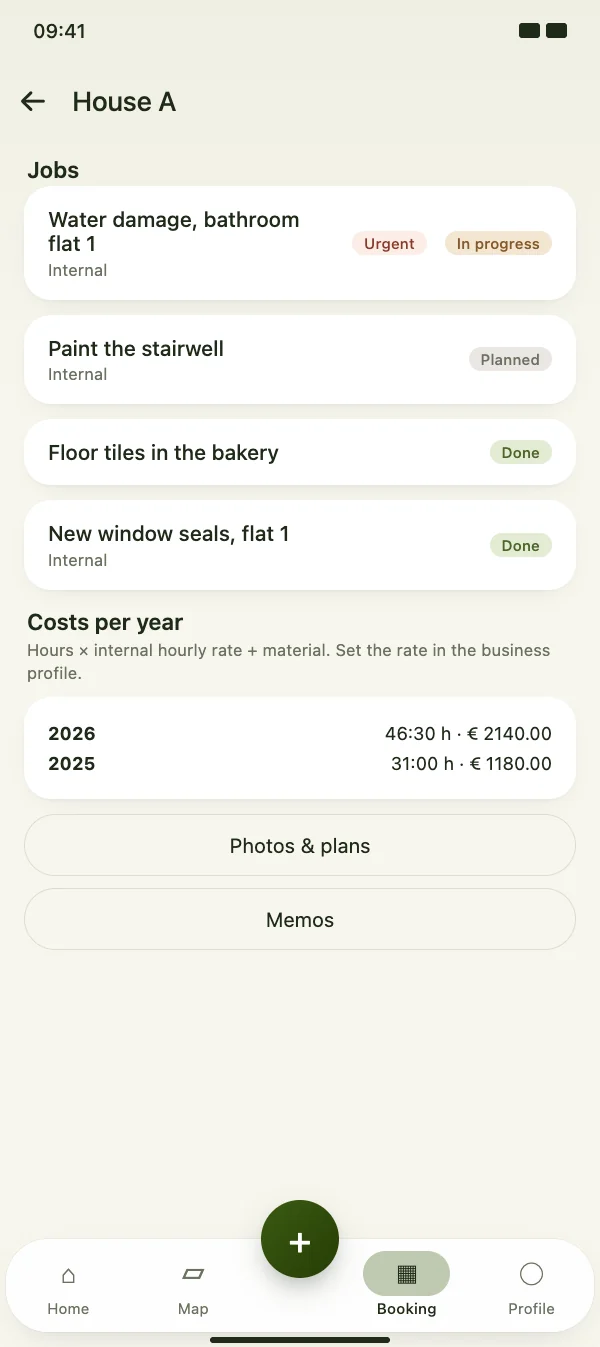
Jobs and costs per year

All jobs of the property are listed with their status. CraftMe adds up the recorded hours at your internal hourly rate plus the material – per year.

  • Hours × internal hourly rate + material
  • Internal jobs show costs instead of a result
  • Photos and plans stored with the property
Jobs and costs per year

FAQ

Questions about properties

What does it cost?

Properties are part of CraftMe Pro.

Where do I set the internal hourly rate?

In your business profile. CraftMe uses it for the costs per year of each property and for internal jobs.

Can I invoice jobs at a property?

Yes. Only jobs marked as internal stay without an invoice – for example for buildings you own or manage yourself. All other jobs can be invoiced as usual.

Can I delete a property?

As long as it has no jobs. A property with jobs moves to the archive instead and can be restored from there at any time.

Add your first property

Download CraftMe for free and open the properties via the menu in the Booking tab.

Coming soon

Free download for iPhone and Android