← Back to the overview

Payroll export

Your team’s hours to the payroll office in one go

At the end of the month, CraftMe adds up the approved hours and absences of every team member and creates the file for your payroll program. The pay itself is calculated by your payroll program or tax consultant.

Coming soon

Free download for iPhone and Android

The month per person at a glance

How it works

From time tracking to payroll

Payroll export

The month per person at a glance

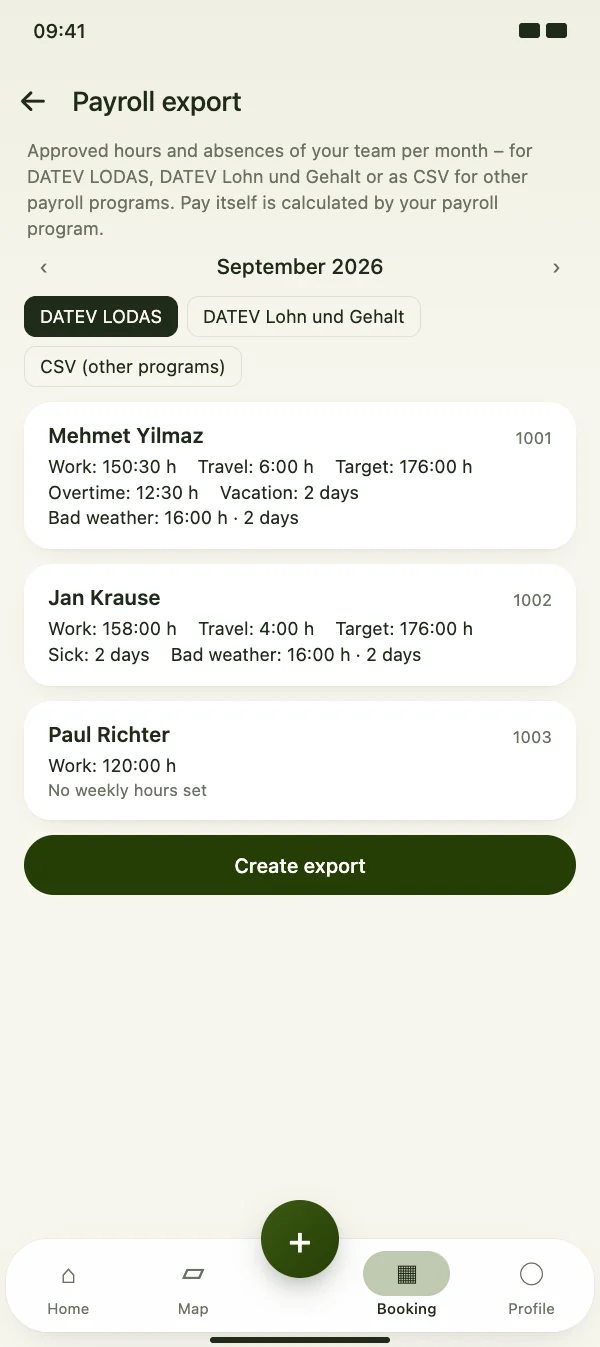
Choose the month and format. For each person you see working time, travel time, target hours, overtime, vacation, sick days and bad weather – taken from the approved time tracking.

  • DATEV LODAS, DATEV Lohn und Gehalt or CSV
  • Target = weekly hours / 5 per weekday
  • Only approved times are exported
The month per person at a glance

Payroll export

Record bad weather days

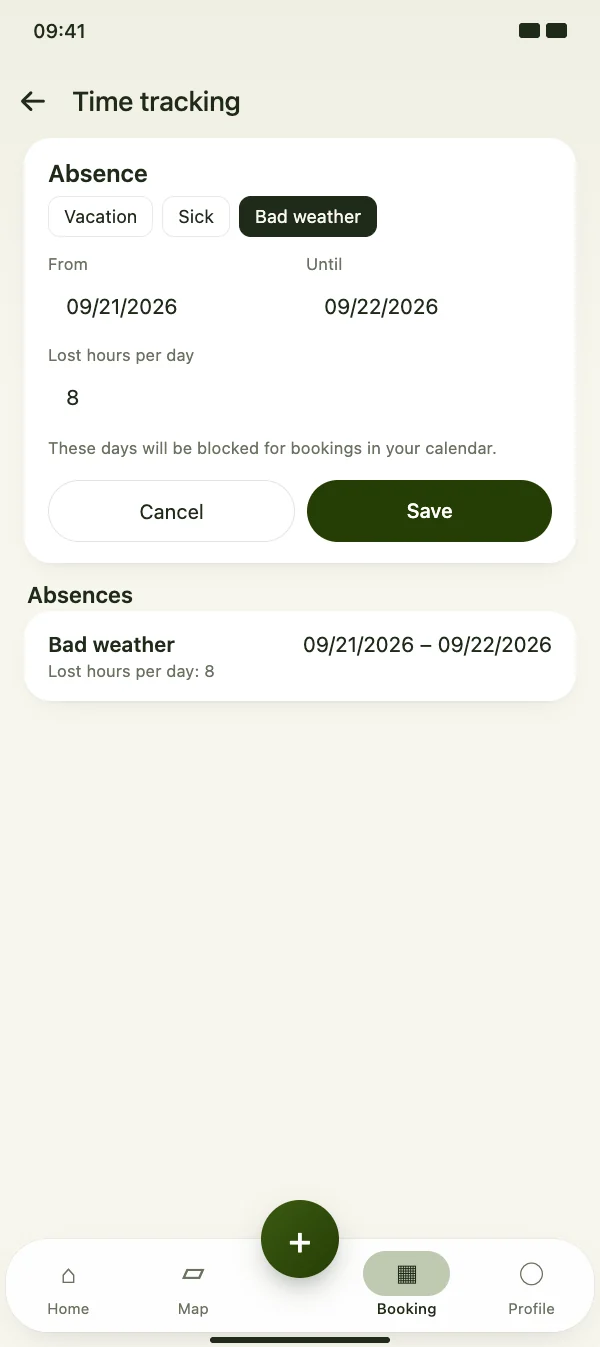
When work on site stops because of the weather, enter bad weather as an absence – with the lost hours per day. It gets its own wage type in the export.

  • Absence types: vacation, sick, bad weather
  • Lost hours per day
  • Days are blocked for bookings in your calendar
Record bad weather days

Payroll export

Set it up once

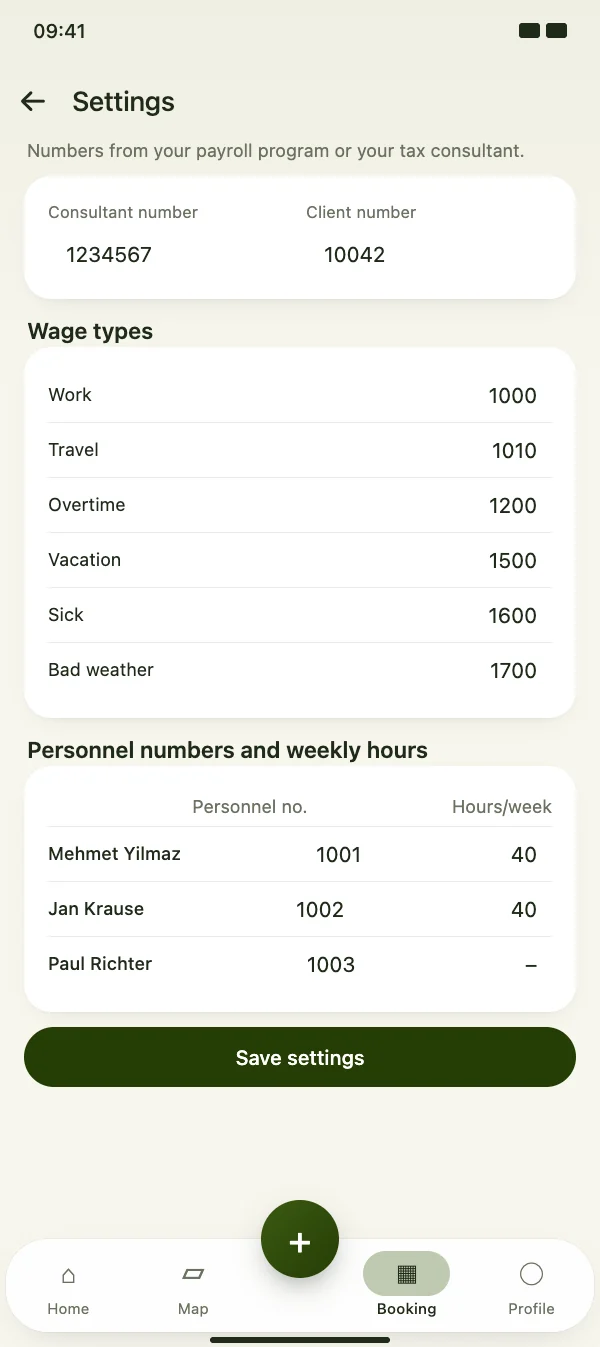
Enter the consultant and client number, a wage type for each kind of hours and the personnel number and weekly hours of every team member – the numbers come from your payroll program or tax consultant.

  • Wage types for work, travel, overtime, vacation, sick and bad weather
  • Before the export, CraftMe lists what is still missing for DATEV
  • Decimal separator and date format for CSV
Set it up once

Payroll export

Export and hand over

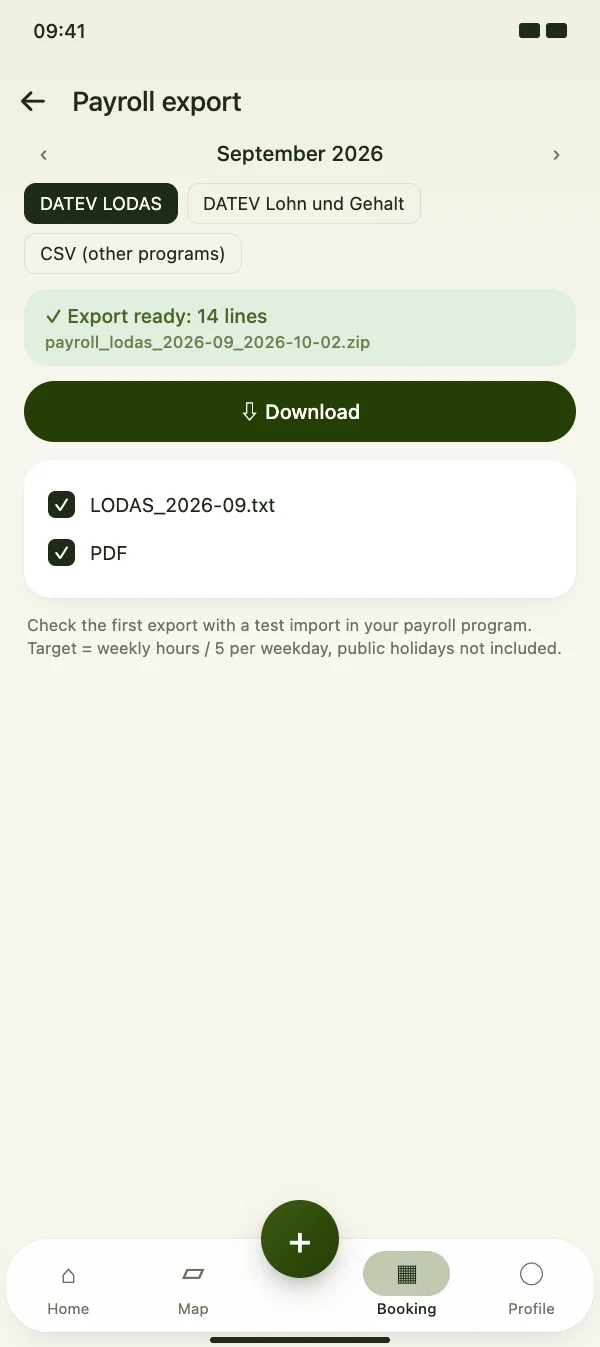
CraftMe creates a ZIP file with the export for your payroll program and a control PDF with every person’s totals. Download it and pass it on to your payroll office.

  • Export file plus control PDF
  • Number of exported lines at a glance
  • Recommended: test import with the first export
Export and hand over

FAQ

Questions about the payroll export

What does it cost?

The payroll export is part of the CraftMe group subscription for teams.

Does CraftMe calculate the pay?

No. CraftMe exports hours and absences. Pay, taxes and contributions are calculated by your payroll program or your tax consultant.

Who can create the export?

The owner of the group and team members with the role accounting or management.

Are public holidays taken into account?

Not yet. The target hours are the weekly hours divided by five per weekday, without public holidays. Check the first export with a test import in your payroll program.

Prepare your first payroll export

Download CraftMe for free and open the payroll export via the menu in the Booking tab.

Coming soon

Free download for iPhone and Android