← Home

Quick answer

Is there an app to preview a room idea in my own home?

Short answer

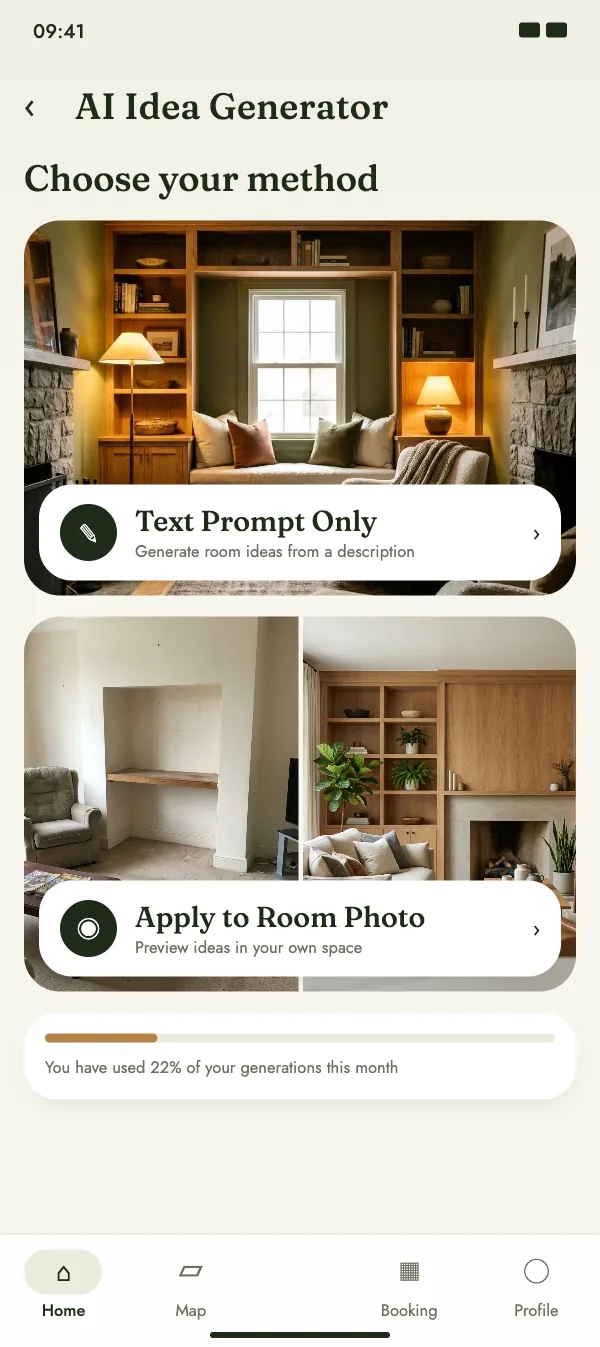
Yes – CraftMe. Take a photo of your room, choose a project area and a style and see the idea in your own four walls. Or describe your idea in your own words and the AI creates visuals in seconds. Homeowners try it for free: 1 idea without an account, 3 a month with a free account. Love it? Send it to a craftsperson near you and book a visit.

Updated November 2026

Coming soon

Free download for iPhone and Android

Is there an app to preview a room idea in my own home?

At a glance

DevicesiPhone, iPad and Android, in 31 languages
Price for homeownersFree – 1 idea without an account, 3 a month with an account
Two waysA photo of your room, or a text prompt with area and style
Project areasAreas of the home and garden, in the style you choose
Next stepSend the idea to a craftsperson in the chat and book a visit

How it works

Take a photo of your room and preview the idea in your own four walls before anyone picks up a tool. Pick a room and a style, describe your idea – get several visuals to choose from.

  • Take a photo of your room or pick one from your gallery
  • Choose a project area and a style – or describe your idea
  • See the idea in your space, save it or send it to your craftsperson

What can the preview show?

The preview gives you a first impression of colours, shapes and proportions in your room. Measurements, load-bearing walls and the final execution are checked on site by the craftsperson.

  • A first impression of colour and style
  • Proportions are estimates, not measured plans
  • The craftsperson checks the feasibility on site

From idea to visit

Send the idea to the craftsperson in the chat before the visit, so they can plan the right amount of time and prepare a quote.

  • Real projects from businesses in the feed for more ideas
  • Only customers with a booked appointment can leave a review
  • Book in the app or right in your browser

FAQ

More questions on this topic

Is the AI preview free?

Clients try the AI for free: 1 design without an account, 3 a month with an account. For professionals it is included in Pro and in the Group plan.

Do I need an account?

No. Your first idea works without an account. With a free account you get 3 ideas a month and can save them, post them and send them to a craftsperson.

Does it work with every kind of room?

Yes. Take a photo of the room, pick the project area and see how the same style looks in your space before you decide.

Can the craftsperson build exactly that idea?

The preview shows the idea; the result depends on the room, the materials and the craft. Send the idea to the craftsperson in the chat before the visit – they can tell you what is possible and what it costs.

How do the AI room ideas work?

Choose a project area and a style and describe your idea in your own words. The AI creates visuals in seconds. With the room photo mode, you upload a photo of your room and see the idea in your own space. Clients try the AI for free: 1 design without an account, 3 a month with an account. For professionals it is included in Pro and in the Group plan.

Less office, more site.

Download CraftMe for free and discover projects, AI room ideas and craftspeople near you. Run a craft business? Set up your profile today and get your first online booking.

Coming soon

Free download for iPhone and Android